
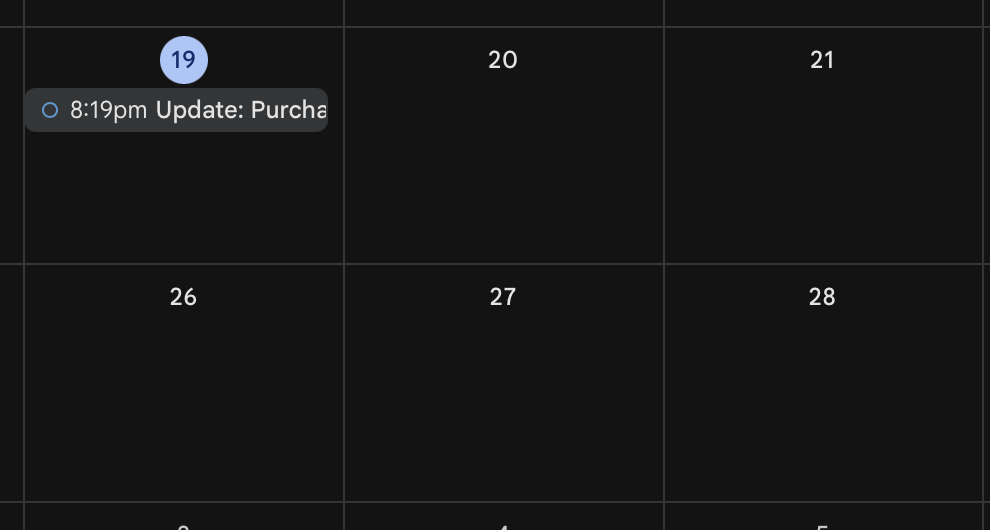
Spam calendar invites are annoying, but they’re easy to remove. Here’s how to deal with them in Google Calendar.
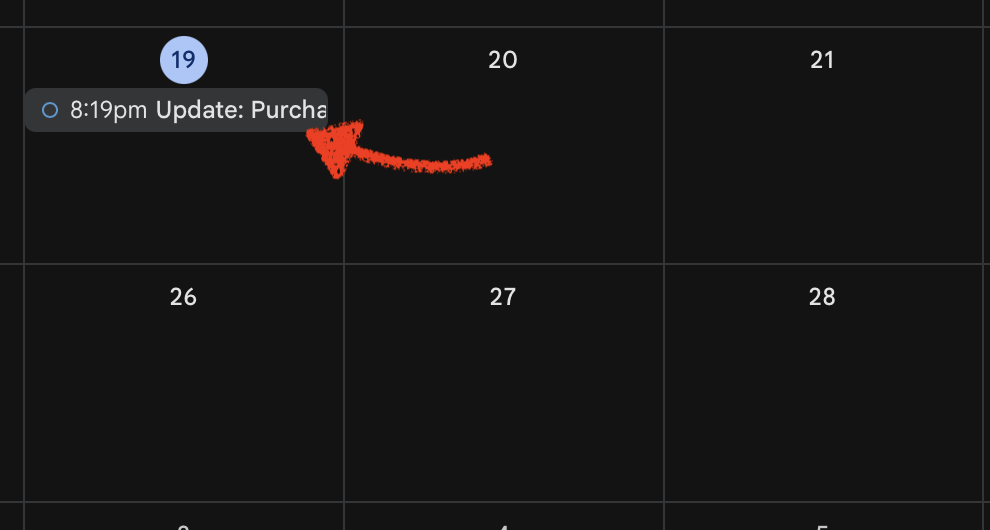
- Open Google Calendar and click on the spam event
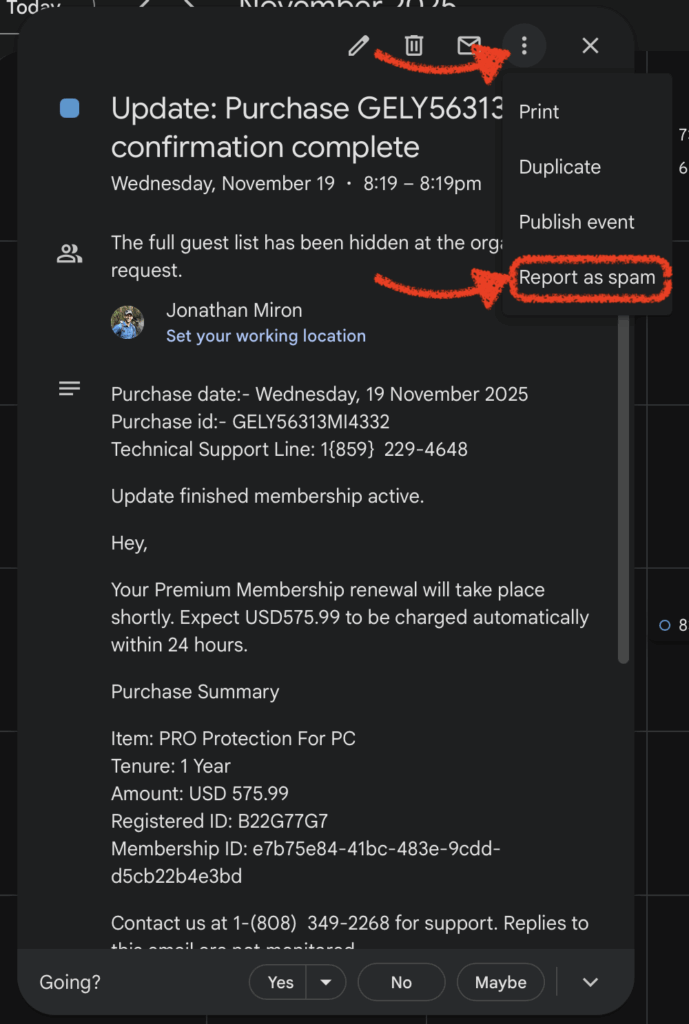
- Click the three vertical dots (⋮) in the upper right corner
- Select “Report as spam”
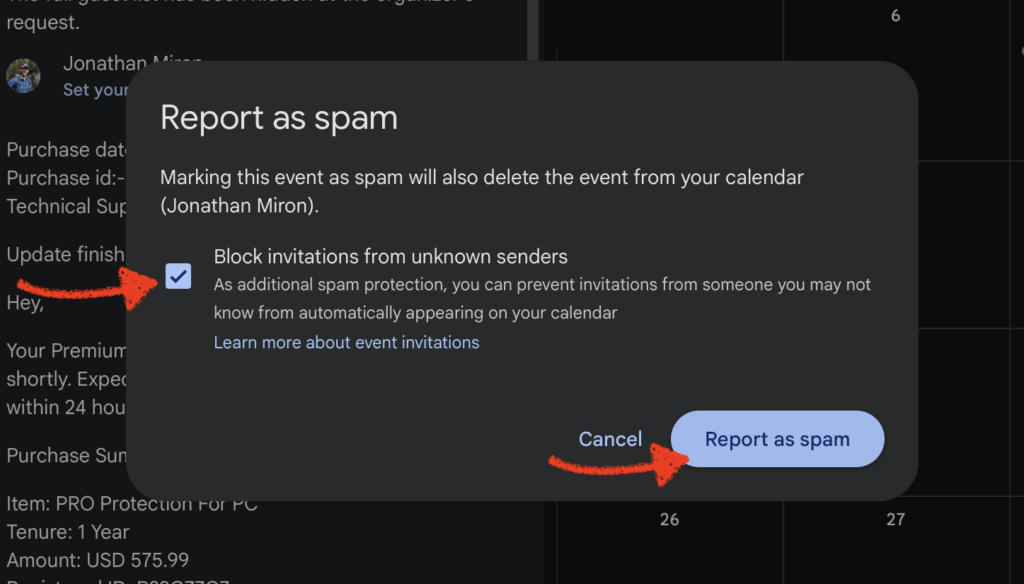
- Check the box for “Block invitations from unknown senders”
- Don’t worry—this only blocks calendar invites from people not in your contacts. You’ll still receive all regular emails and invites from people you know.
- Don’t worry—this only blocks calendar invites from people not in your contacts. You’ll still receive all regular emails and invites from people you know.
- Click “Report as spam” to finish
That’s it. The event disappears, and you’re less likely to get similar spam in the future.
Why This Happens
The Attack Vector: Spammers exploit the fact that Google Calendar automatically adds event invitations to your calendar by default. They send calendar invites (not regular emails) with embedded links to phishing sites, fake product offers, or scams. Since these appear directly on your calendar rather than in your email inbox, they bypass some spam filters and grab your attention more effectively.
The “Block invitations from unknown senders” setting prevents this by requiring calendar invites from unfamiliar senders to be approved before appearing on your calendar.
Prevention
To stop future spam calendar events from appearing automatically:
- Go to Google Calendar Settings (gear icon → Settings)
- Navigate to Event settings in the left sidebar
- Under “Add invitations to my calendar,” select “From everyone except known spam and other potentially problematic events” or “Only if the sender is known”
This prevents uninvited events from cluttering your calendar in the first place.